 ForensicTracks
iPhone · iPad · Version 1.2
AR BPA
Bloodstain Pattern Analysis in augmented reality. Point the device at the stains: AR BPA measures them, builds the trajectories on the real scene and estimates where the blood came from, with the uncertainty that goes with it.
What it does
From a single stain to the area of origin, following the terminology of ASB TR 033, SWGSTAIN and IABPA.
Impact angle and direction
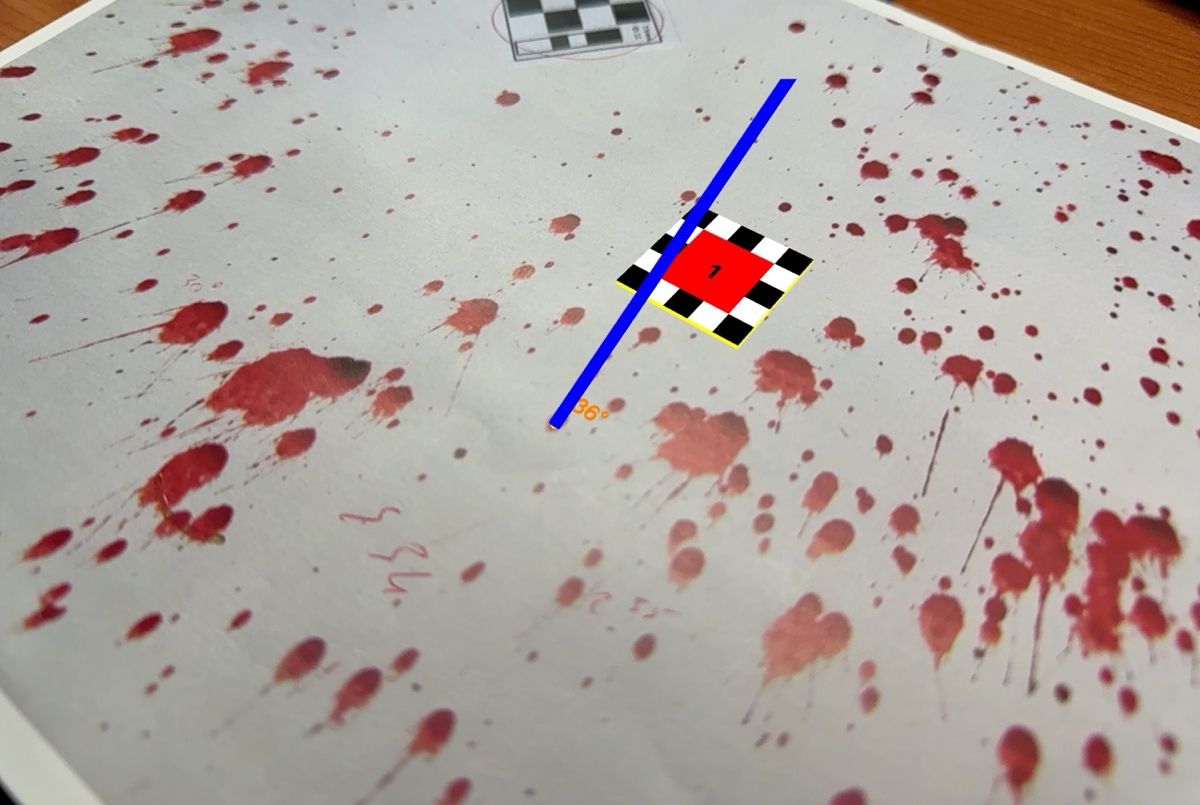
Each stain is fitted with an ellipse; the impact angle comes from α = arcsin(w/l), the direction from the tail. The drop diameter is estimated automatically, with perspective correction, and a live indicator tells you how reliable the angle is.
Area of convergence
Least-squares intersection of the stain axes on the surface, with the classic convergence lines drawn on it. With several impact events, the stains are grouped automatically and each group is analysed on its own.
Area of origin
Trajectories are traced back with a ballistic model that includes gravity and air drag, not only straight lines, and the height of the source is computed from them.
Uncertainty, not just a point
A Monte Carlo simulation perturbs angles and directions and returns a 95% confidence interval for the area of convergence and for the height of the origin.
Real surfaces
On devices with LiDAR, the reconstructed mesh gives correct surface normals even on curved objects, and trajectories hide behind walls and furniture as they should.
Documentation and export
Metric references of 2.5, 5 and 10 cm; photos saved twice, plain and with the AR overlay, with date, time and position in lat/long and UTM; the whole scene exported as a USDZ 3D model.
The analyst stays in control: every axis is confirmed by hand, can be flipped or undone, and the app warns about extreme angles (above 60° or below 10°), too few axes and micro-droplets. Heavy computations run on the GPU.
How it works
Four steps, from the surface to the 3D model.
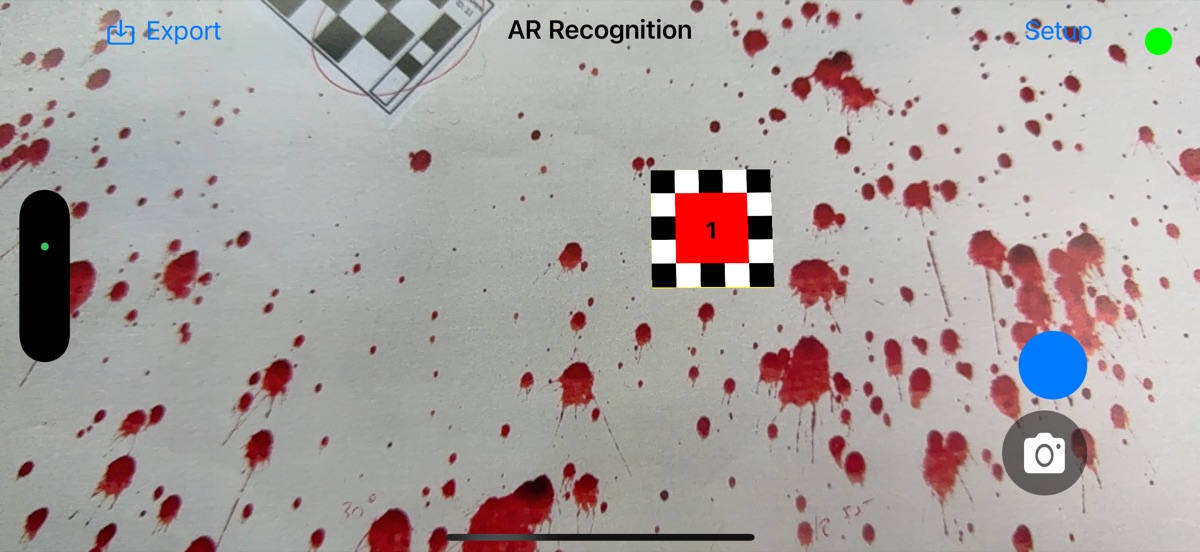
Scan and scale
Wait for the green light: the surfaces have been recognised. In blue mode, place the metric references; move and rotate them with the usual gestures.
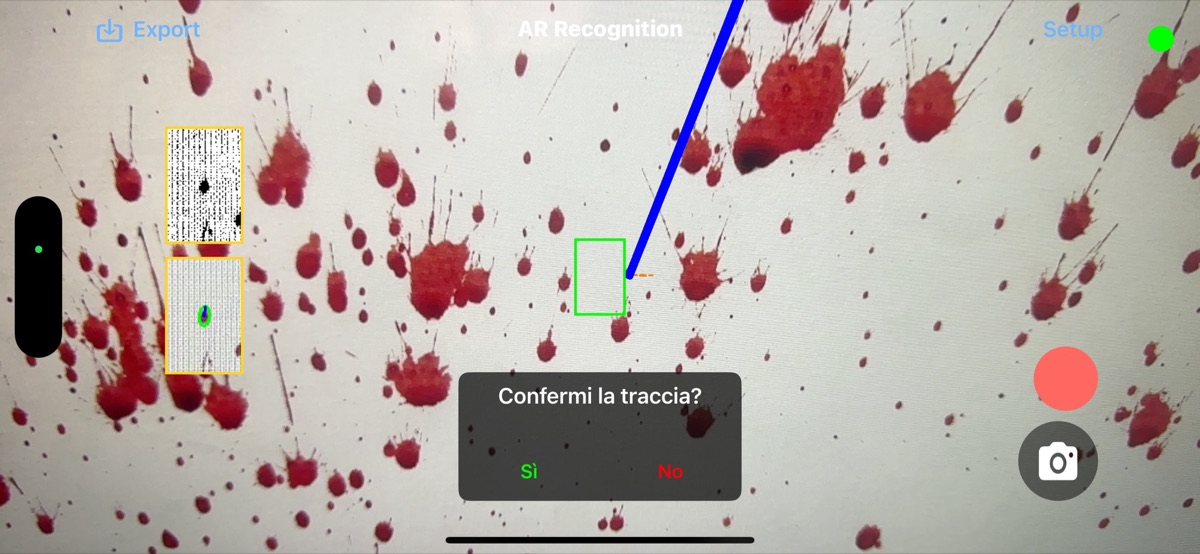
Measure the stains
In red mode, frame a stain in the crosshair and tap. The app fits the ellipse, computes angle and direction and proposes the axis: you confirm it, flip it or discard it. Threshold and contrast can be tuned live in the setup page.
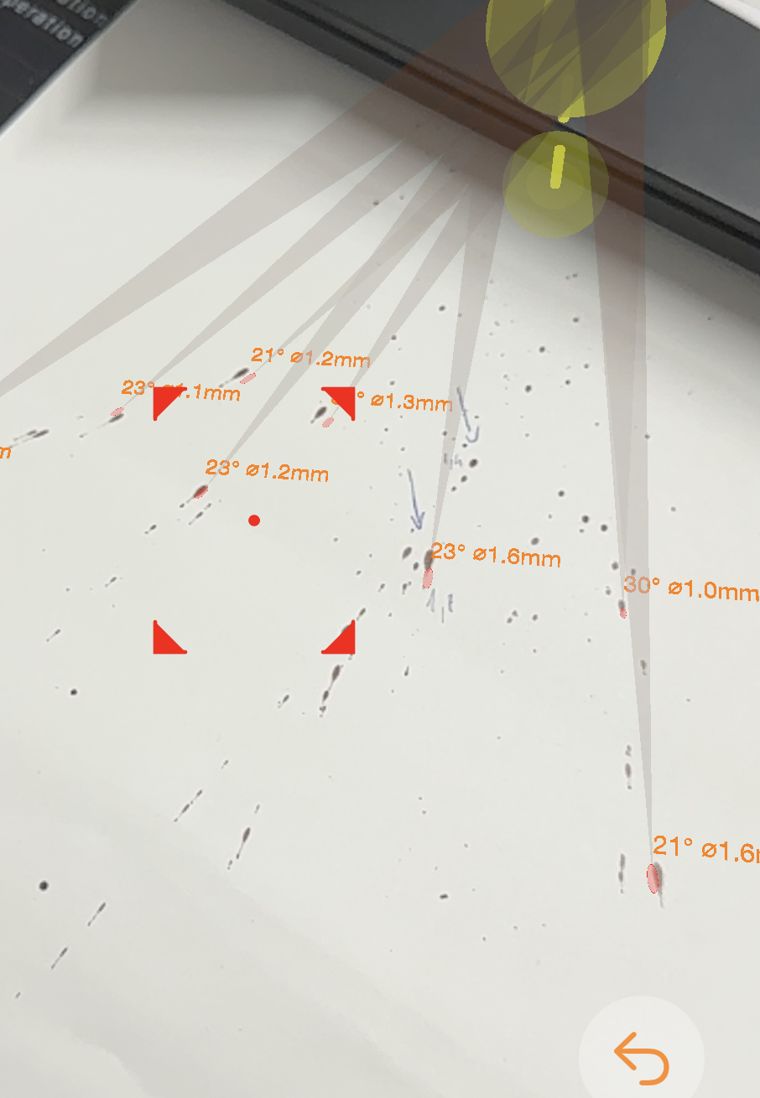
Convergence and origin
As axes accumulate, AR BPA computes the area of convergence on the surface and the area of origin in space, each with its 95% confidence interval, and draws them in the scene.
Document and export
Capture the photos, plain and annotated, with date, time and position; export the scene in USDZ and bring it into a 3D model acquired with other tools.
Coming next
Already in development and field testing.
Multi-stain analysis
Many stains detected and measured in a single scan, with uncertainty cones toward the origin.
PDF report
Results, method, physical constants and limitations in a structured report.
Traceability
A log of every operation and SHA-256 fingerprints of photos, report and data, organised by case.
Reproducible results
Same input, same output: the random seed of each simulation is recorded with the results.
Disclaimer
AR BPA is under continuous development and, like any software, may contain errors. It has not yet been validated according to ANSI/ASB 072 and is intended for education, training and research: it is not a substitute for professional forensic analysis. The developers accept no liability for errors, inaccuracies or malfunctions, nor for any direct or indirect damage arising from its use or misuse. Users are responsible for verifying the accuracy and applicability of the results.
Privacy: the app sends no data anywhere. See the privacy policy.